Reference version

This is documentation for the next SDK version. For up-to-date documentation, see the latest version (SDK 55).

ExposedDropdownMenuBox

A Jetpack Compose ExposedDropdownMenuBox component for displaying a dropdown menu with a customizable anchor.

Android

For the complete documentation index, see llms.txt. Use this file to discover all available pages.

Expo UI ExposedDropdownMenuBox matches the official Jetpack Compose ExposedDropdownMenuBox. Use the menuAnchor() modifier on the anchor content (typically a read-only TextField) and ExposedDropdownMenu to wrap DropdownMenuItem children.
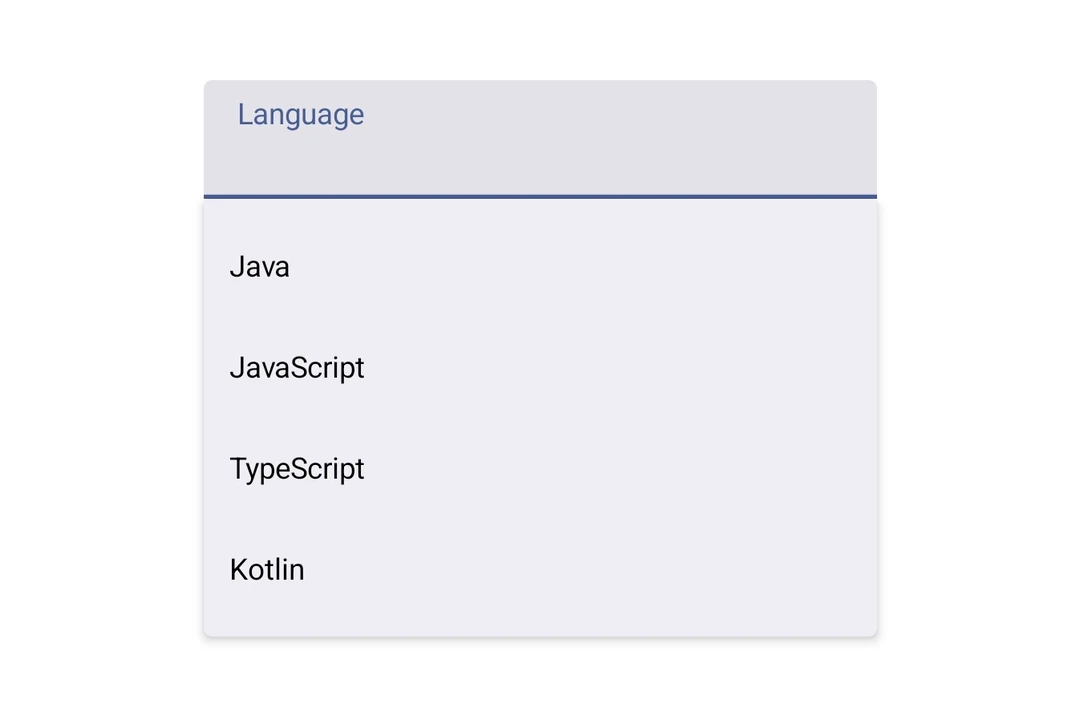
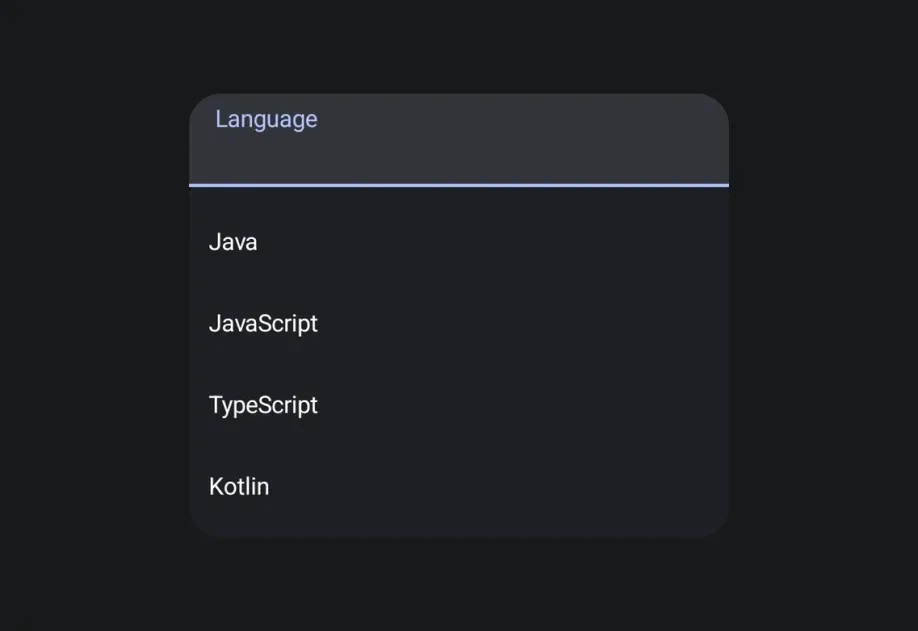
Installation

Terminal
npx expo install @expo/ui

If you are installing this in an existing React Native app, make sure to install expo in your project.

Usage

Basic

When using an uncontrolled TextField as the anchor, pass key={selected} to force a remount when the selected value changes — defaultValue is only read on mount.

BasicExposedDropdownMenuBoxExample.tsx
import { DropdownMenuItem, ExposedDropdownMenuBox, ExposedDropdownMenu, Host, Text, TextField, } from '@expo/ui/jetpack-compose'; import { menuAnchor } from '@expo/ui/jetpack-compose/modifiers'; import { useState } from 'react'; const LANGUAGES = [ { label: 'Java', value: 'java' }, { label: 'JavaScript', value: 'js' }, { label: 'TypeScript', value: 'ts' }, ]; export default function BasicExposedDropdownMenuBoxExample() { const [selected, setSelected] = useState('java'); const [expanded, setExpanded] = useState(false); const selectedLabel = LANGUAGES.find(l => l.value === selected)?.label ?? ''; return ( <Host matchContents> <ExposedDropdownMenuBox expanded={expanded} onExpandedChange={setExpanded}> <TextField defaultValue={selectedLabel} key={selected} readOnly modifiers={[menuAnchor()]} /> <ExposedDropdownMenu expanded={expanded} onDismissRequest={() => setExpanded(false)}> {LANGUAGES.map(lang => ( <DropdownMenuItem key={lang.value} onClick={() => { setSelected(lang.value); setExpanded(false); }}> <DropdownMenuItem.Text> <Text>{lang.label}</Text> </DropdownMenuItem.Text> </DropdownMenuItem> ))} </ExposedDropdownMenu> </ExposedDropdownMenuBox> </Host> ); }

API

import { ExposedDropdownMenuBox } from '@expo/ui/jetpack-compose';

Components

ExposedDropdownMenu

Android

Type: React.Element<ExposedDropdownMenuProps>

A Material 3 ExposedDropdownMenu that displays menu items in a dropdown.

Must be used inside an ExposedDropdownMenuBox.

Props for the ExposedDropdownMenu component.

ExposedDropdownMenuProps

children

Android
Optional • Type: ReactNode

Children should be DropdownMenuItem components.

containerColor

Android
Optional • Type: ColorValue

Background color of the dropdown menu container.

expanded

Android
Type: boolean

Whether the dropdown menu is expanded (visible).

modifiers

Android
Optional • Type: ModifierConfig[]

Modifiers for the component.

onDismissRequest

Android
Optional • Type: () => void

Callback fired when the menu requests to be dismissed (e.g. tapping outside, back button).

ExposedDropdownMenuBox

Android

Type: React.Element<ExposedDropdownMenuBoxProps>

A Material 3 ExposedDropdownMenuBox.

Use the menuAnchor() modifier on the anchor content (e.g. a TextField or Text). Use ExposedDropdownMenu to wrap DropdownMenuItem children.

Example

<ExposedDropdownMenuBox expanded={expanded} onExpandedChange={setExpanded}> <TextField modifiers={[menuAnchor()]} defaultValue={value} readOnly /> <ExposedDropdownMenu expanded={expanded} onDismissRequest={() => setExpanded(false)}> <DropdownMenuItem onClick={() => { setSelected('a'); setExpanded(false); }}> <DropdownMenuItem.Text><Text>Option A</Text></DropdownMenuItem.Text> </DropdownMenuItem> </ExposedDropdownMenu> </ExposedDropdownMenuBox>

ExposedDropdownMenuBoxProps

children

Android
Optional • Type: ReactNode

Children — should contain an anchor element with the menuAnchor() modifier and an ExposedDropdownMenu with DropdownMenuItem children.

expanded

Android
Type: boolean

Whether the dropdown menu is expanded (visible).

modifiers

Android
Optional • Type: ModifierConfig[]

Modifiers for the component.

onExpandedChange

Android
Optional • Type: (expanded: boolean) => void

Callback when the expanded state changes (for example, tapping the field or dismissing the menu).