Reference version

This is documentation for the next SDK version. For up-to-date documentation, see the latest version (SDK 55).

Card

A Jetpack Compose Card component for displaying content in a styled container.

Android

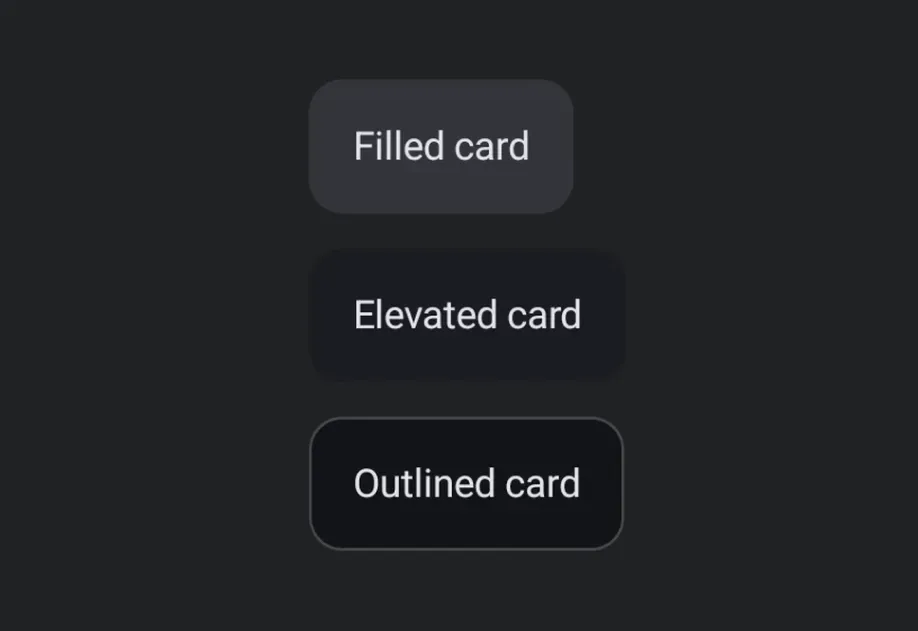
Expo UI Card matches the official Jetpack Compose Card API and displays content inside a styled surface container with optional elevation and outline. The Card component renders a filled card, while ElevatedCard and OutlinedCard provide raised and bordered variants respectively.

Installation

Terminal
npx expo install @expo/ui

If you are installing this in an existing React Native app, make sure to install expo in your project.

Usage

Basic card

BasicCardExample.tsx
import { Host, Card, Text } from '@expo/ui/jetpack-compose'; import { paddingAll } from '@expo/ui/jetpack-compose/modifiers'; export default function BasicCardExample() { return ( <Host matchContents> <Card> <Text modifiers={[paddingAll(16)]}>This is a basic card with default styling.</Text> </Card> </Host> ); }

Card types

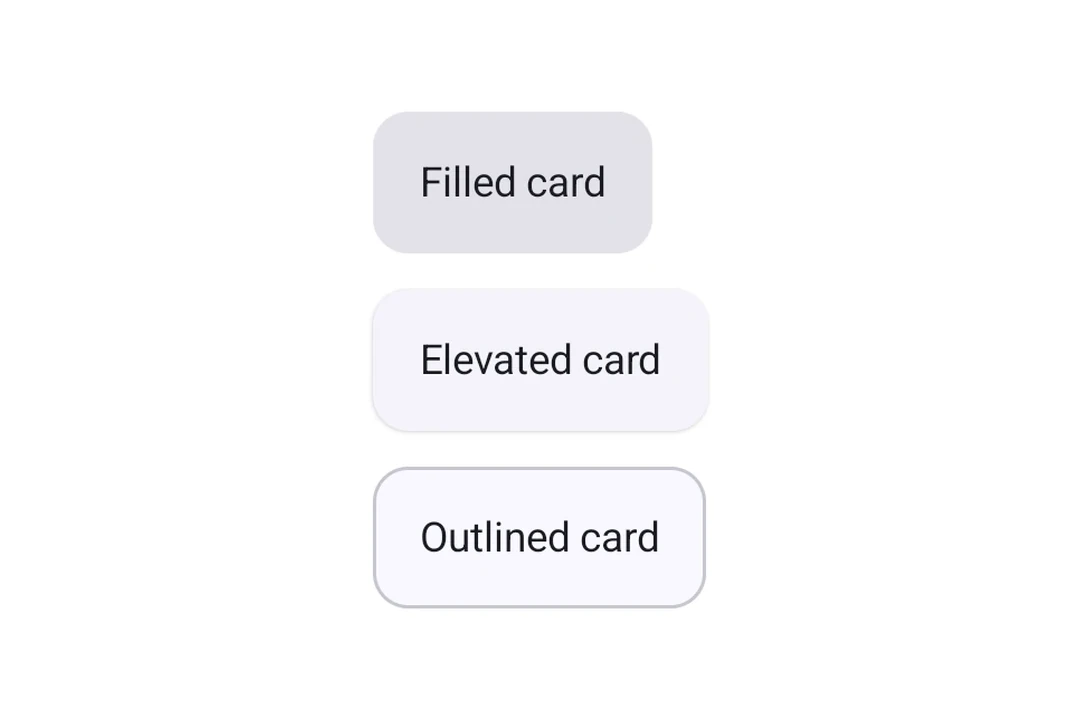
Use Card (filled), ElevatedCard, or OutlinedCard for different styles.

CardTypesExample.tsx
import { Host, Card, ElevatedCard, OutlinedCard, Text, Column } from '@expo/ui/jetpack-compose'; import { paddingAll } from '@expo/ui/jetpack-compose/modifiers'; export default function CardTypesExample() { return ( <Host matchContents> <Column verticalArrangement={{ spacedBy: 12 }}> <Card> <Text modifiers={[paddingAll(16)]}>Filled card</Text> </Card> <ElevatedCard> <Text modifiers={[paddingAll(16)]}>Elevated card</Text> </ElevatedCard> <OutlinedCard> <Text modifiers={[paddingAll(16)]}>Outlined card</Text> </OutlinedCard> </Column> </Host> ); }

Custom elevation

Use the elevation prop (in dp) to control shadow depth. Elevation is most meaningful on ElevatedCard, which uses shadow elevation. Filled Card uses tonal elevation by default, so changes may be subtle.

ElevatedCardExample.tsx
import { Host, ElevatedCard, Text } from '@expo/ui/jetpack-compose'; import { paddingAll } from '@expo/ui/jetpack-compose/modifiers'; export default function ElevatedCardExample() { return ( <Host matchContents> <ElevatedCard elevation={8}> <Text modifiers={[paddingAll(16)]}>Card with 8dp elevation</Text> </ElevatedCard> </Host> ); }

Custom border

Card and OutlinedCard accept a border prop to customize stroke width and color.
OutlinedCardExample.tsx
import { Host, OutlinedCard, Text } from '@expo/ui/jetpack-compose'; import { paddingAll } from '@expo/ui/jetpack-compose/modifiers'; export default function OutlinedCardExample() { return ( <Host matchContents> <OutlinedCard border={{ width: 2, color: '#6200EE' }}> <Text modifiers={[paddingAll(16)]}>Card with custom purple border</Text> </OutlinedCard> </Host> ); }

API

import { Card, ElevatedCard, OutlinedCard } from '@expo/ui/jetpack-compose';

Components

Card

Android

Type: React.Element<ComponentType<CardProps>>

A card component that renders a filled card surface for content.

CardProps

border

Android
Optional • Type: CardBorder

Border configuration for the card.

children

Android
Optional • Type: React.ReactNode

The content to display inside the card.

colors

Android
Optional • Type: CardColors

Colors for card's core elements.

elevation

Android
Optional • Type: number

Default elevation in dp.

modifiers

Android
Optional • Type: ModifierConfig[]

Modifiers for the component.

ElevatedCard

Android

Type: React.Element<ComponentType<ElevatedCardProps>>

An elevated card component that provides a raised surface for content.

ElevatedCardProps

children

Android
Optional • Type: React.ReactNode

The content to display inside the card.

colors

Android
Optional • Type: CardColors

Colors for card's core elements.

elevation

Android
Optional • Type: number

Default elevation in dp. Material 3 default is 1dp.

modifiers

Android
Optional • Type: ModifierConfig[]

Modifiers for the component.

OutlinedCard

Android

Type: React.Element<ComponentType<OutlinedCardProps>>

An outlined card component that provides a bordered surface for content.

OutlinedCardProps

border

Android
Optional • Type: CardBorder

Border configuration for the outlined card.

children

Android
Optional • Type: React.ReactNode

The content to display inside the card.

colors

Android
Optional • Type: CardColors

Colors for card's core elements.

elevation

Android
Optional • Type: number

Default elevation in dp.

modifiers

Android
Optional • Type: ModifierConfig[]

Modifiers for the component.

Types

CardBorder

Android

Border configuration for cards.

PropertyTypeDescription
color(optional)ColorValue

Border color.

width(optional)number

Border width in dp.

Default:1

CardColors

Android

Colors for card's core elements.

PropertyTypeDescription
containerColor(optional)ColorValue
-
contentColor(optional)ColorValue
-