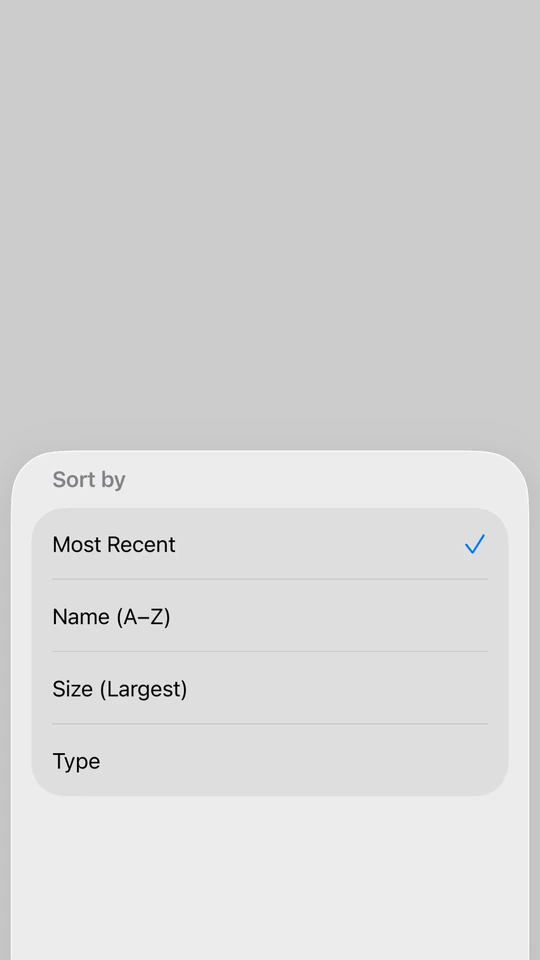
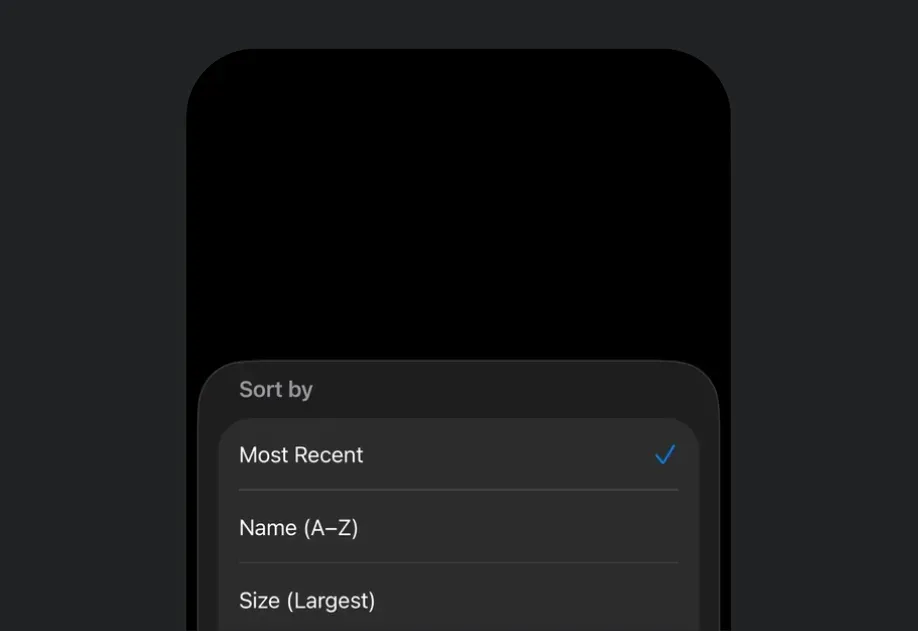
For cross-platform usage, see the universal BottomSheet — it renders the appropriate native component per platform.
Expo UI BottomSheet matches the official SwiftUI sheet API and presents content from the bottom of the screen.
On iOS, to show a bottom sheet on top of another, nest the second BottomSheet inside the first sheet's content rather than beside it. This is a limitation of the underlying SwiftUI sheet modifier. See how to present multiple sheets for more information.
The anchor can be a React Native view. Wrap it in RNHostView.
BottomSheetRNAnchorExample.tsx
import{ useState }from'react';import{Pressable,TextasRNText}from'react-native';import{Host,BottomSheet,Button,RNHostView,Text,VStack,}from'@expo/ui/swift-ui';exportdefaultfunctionBottomSheetRNAnchorExample(){const[isPresented, setIsPresented]=useState(false);return(<Hoststyle={{ flex:1}}><VStack><BottomSheetisPresented={isPresented}onIsPresentedChange={setIsPresented}fitToContentsanchor={<RNHostViewmatchContents><PressableonPress={()=>setIsPresented(true)}style={{
backgroundColor:'#007AFF',
padding:12,
borderRadius:8,
alignSelf:'flex-start',}}><RNTextstyle={{ color:'white', fontWeight:'600'}}>
Open sheet
</RNText></Pressable></RNHostView>}><VStack><Text>Opened from a React Native anchor.</Text><Buttonlabel="Close"onPress={()=>setIsPresented(false)}/></VStack></BottomSheet></VStack></Host>);}
Bottom sheet that fits content
Use the fitToContents prop to automatically size the sheet to fit its content.
BottomSheetFitsContentExample.tsx
import{ useState }from'react';import{Host,BottomSheet,Button,Text,VStack,}from'@expo/ui/swift-ui';exportdefaultfunctionBottomSheetFitsContentExample(){const[isPresented, setIsPresented]=useState(false);return(<Hoststyle={{ flex:1}}><VStack><BottomSheetisPresented={isPresented}onIsPresentedChange={setIsPresented}fitToContentsanchor={<Buttonlabel="Open sheet"onPress={()=>setIsPresented(true)}/>}><VStack><Text>
This sheet automatically sizes to fit its content.
</Text><Buttonlabel="Close"onPress={()=>setIsPresented(false)}/></VStack></BottomSheet></VStack></Host>);}
Custom background
By default, a sheet uses the system's translucent material background (Liquid Glass on iOS 26). Use the presentationBackground modifier on Group to paint the sheet yourself, which also opts the sheet out of that translucent material. It accepts any ShapeStyle: a solid color, a material, or a gradient.
On iOS 26 and later, a material passed to the presentationBackground modifier, such as { type: 'material', material: 'ultraThin' }, renders as a flat color rather than a translucent blur. For a translucent material, use the presentationBackground prop instead.
Prefer presentationBackground over a background modifier on the sheet's content. A background sits behind the content's own background, so a Form or List covers it, and the color shows inconsistently as the sheet moves between detents. presentationBackground colors the sheet surface itself, so it stays consistent at every detent. When the content is a Form or List, also add scrollContentBackground('hidden') so the sheet color shows through the grouped background.
Use the presentationBackground prop to fill the whole sheet with a view. This matches SwiftUI's presentationBackground(alignment:content:). A material in this view stays a translucent blur on iOS 26 and later.
A sheet follows the device's light or dark appearance by default. To use your app's appearance instead, add the preferredColorScheme modifier to the Group. The HostcolorScheme prop changes the sheet's content but not its background.
import{ useState }from'react';import{Host,BottomSheet,Button,Group,Text,VStack,}from'@expo/ui/swift-ui';import{
presentationDetents,
presentationBackgroundInteraction,}from'@expo/ui/swift-ui/modifiers';exportdefaultfunctionBottomSheetWithBackgroundInteractionExample(){const[isPresented, setIsPresented]=useState(false);return(<Hoststyle={{ flex:1}}><VStack><BottomSheetisPresented={isPresented}onIsPresentedChange={setIsPresented}anchor={<Buttonlabel="Open sheet"onPress={()=>setIsPresented(true)}/>}><Groupmodifiers={[presentationDetents(['medium','large']),presentationBackgroundInteraction({
type:'enabledUpThrough',
detent:'medium',}),]}><Text>
Interact with content behind when at medium height.
</Text></Group></BottomSheet></VStack></Host>);}
When using React Native content with flex: 1, omit the matchContents prop on RNHostView and use presentationDetents to control the sheet height.
BottomSheetWithFlexRNContentExample.tsx
import{ useState }from'react';import{TextasRNText,View}from'react-native';import{Host,BottomSheet,Button,Group,RNHostView,VStack,}from'@expo/ui/swift-ui';import{
presentationDetents,
presentationDragIndicator,}from'@expo/ui/swift-ui/modifiers';exportdefaultfunctionBottomSheetWithFlexRNContentExample(){const[isPresented, setIsPresented]=useState(false);return(<Hoststyle={{ flex:1}}><VStack><BottomSheetisPresented={isPresented}onIsPresentedChange={setIsPresented}anchor={<Buttonlabel="Open sheet"onPress={()=>setIsPresented(true)}/>}><Groupmodifiers={[presentationDetents(['medium','large']),presentationDragIndicator('visible'),]}><RNHostView><Viewstyle={{
flex:1,
backgroundColor:'#007AFF',
padding:24,}}><RNTextstyle={{
fontSize:18,
fontWeight:'bold',
color:'white',}}>
Flexible React Native Content
</RNText><RNTextstyle={{ color:'white', marginTop:8}}>
This content fills the available space in the
sheet.
</RNText></View></RNHostView></Group></BottomSheet></VStack></Host>);}
Scrollable React Native content
Nest a scrollable React Native list such as FlatList, ScrollView, or a high-performance list like FlashList or Legend List inside the sheet with RNHostView. Size the sheet with presentationDetents and the list scrolls within that height.
A view the sheet is anchored to, for example the Button that opens it. Rendered in place and
kept mounted, so presenting the sheet doesn't shift surrounding layout. Optional.
A view that fills the whole sheet behind its content, for example a Rectangle filled with a
material. Unlike the presentationBackground modifier, a material in a view stays translucent
on iOS 26 and later.