Reference version

Snackbar

A brief notification that appears at the bottom of the screen to provide feedback without interrupting the user.

Android
Included in Expo Go
Bundled version:
~57.0.1

Expo UI exposes two components that mirror Jetpack Compose's Snackbar APIs:

  • SnackbarHost wraps Compose's SnackbarHost and SnackbarHostState. Place it once in your layout, then call showSnackbar on the ref. Snackbars auto-dismiss based on duration and can also be dismissed via the action button or the optional close icon.
  • Snackbar is a styling-only child of SnackbarHost. Pass one to override colors or place the action on a new line.
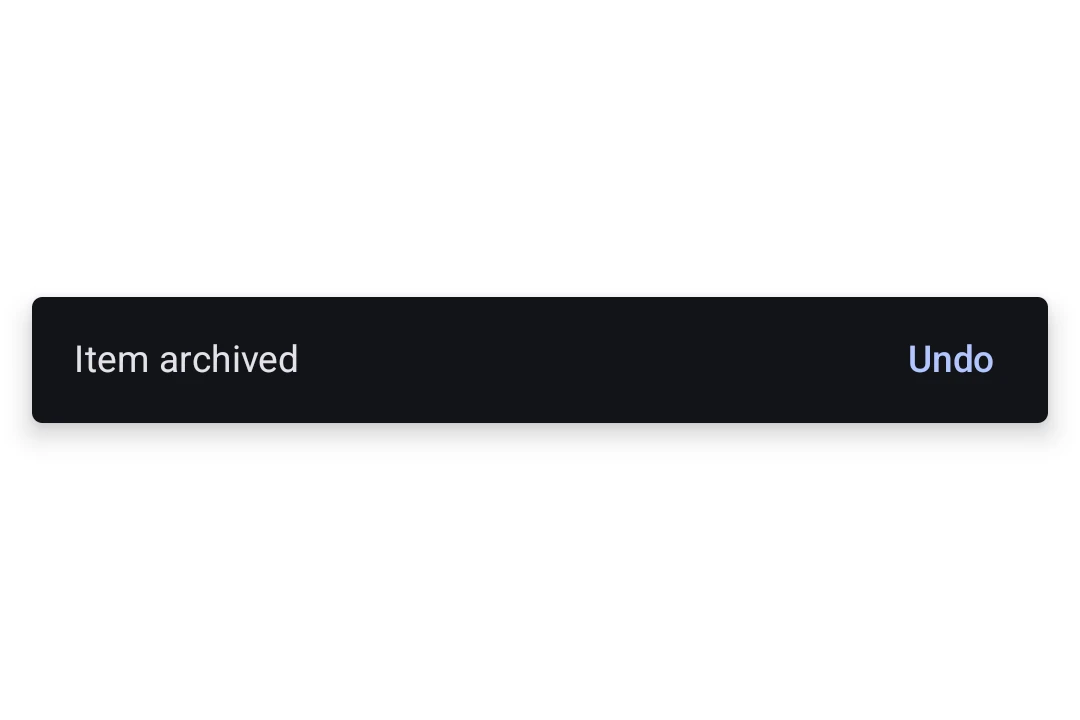
Material 3 snackbar showing the message 'Item archived' with an Undo action

Installation

Terminal
npx expo install @expo/ui

If you are installing this in an existing React Native app, make sure to install expo in your project.

Usage

Showing a snackbar

Place a SnackbarHost once in your layout and call showSnackbar on its ref to display a message. The returned promise resolves with 'actionPerformed' or 'dismissed' once the snackbar goes away.

SnackbarExample.tsx
import { useRef } from 'react'; import { Box, Button, Column, Host, SnackbarHost, Text, type SnackbarHostRef, } from '@expo/ui/jetpack-compose'; import { align, fillMaxSize, fillMaxWidth, padding } from '@expo/ui/jetpack-compose/modifiers'; export default function SnackbarExample() { const hostRef = useRef<SnackbarHostRef>(null); const onArchive = async () => { const result = await hostRef.current?.showSnackbar({ message: 'Item archived', actionLabel: 'Undo', duration: 'short', }); if (result === 'actionPerformed') { // The user tapped Undo, restore the item. } }; return ( <Host style={{ flex: 1 }}> <Box modifiers={[fillMaxSize()]}> <Column modifiers={[padding(16, 16, 16, 16)]}> <Button onClick={onArchive}> <Text>Archive</Text> </Button> </Column> <Box modifiers={[align('bottomCenter'), fillMaxWidth()]}> <SnackbarHost ref={hostRef} /> </Box> </Box> </Host> ); }

Custom styling

Pass a Snackbar child to SnackbarHost to override colors or place the action on a new line. The Snackbar itself takes no content, the message and action come from each showSnackbar call.
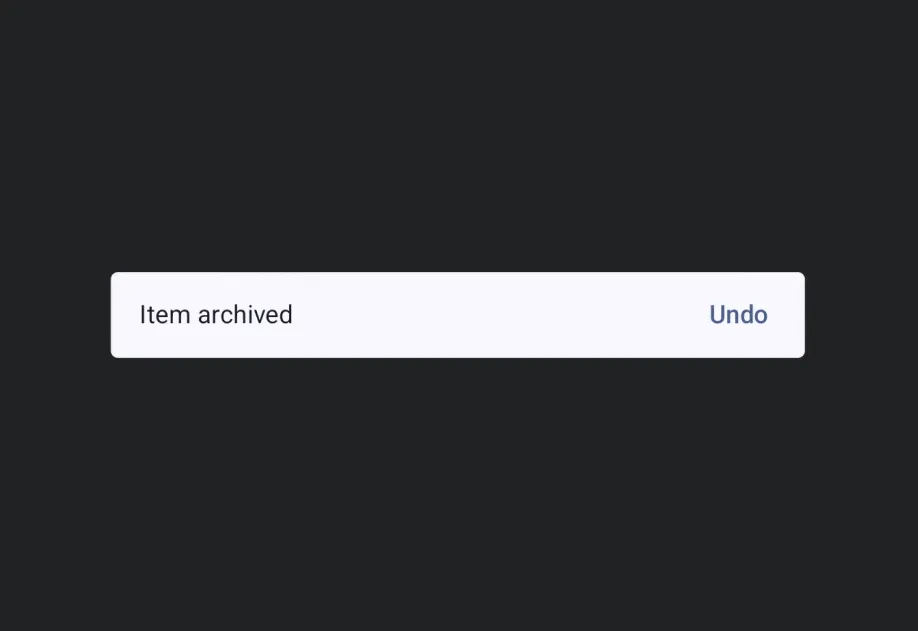
StyledSnackbar.tsx
import { useRef } from 'react'; import { Box, Button, Column, Host, Snackbar, SnackbarHost, Text, type SnackbarHostRef, } from '@expo/ui/jetpack-compose'; import { align, fillMaxSize, fillMaxWidth, padding } from '@expo/ui/jetpack-compose/modifiers'; export default function StyledSnackbar() { const hostRef = useRef<SnackbarHostRef>(null); const onSave = () => { hostRef.current?.showSnackbar({ message: 'Saved', actionLabel: 'Undo', }); }; return ( <Host style={{ flex: 1 }}> <Box modifiers={[fillMaxSize()]}> <Column modifiers={[padding(16, 16, 16, 16)]}> <Button onClick={onSave}> <Text>Save</Text> </Button> </Column> <Box modifiers={[align('bottomCenter'), fillMaxWidth()]}> <SnackbarHost ref={hostRef}> <Snackbar containerColor="#1E1E2E" contentColor="#CDD6F4" actionContentColor="#F38BA8" dismissActionContentColor="#CDD6F4" /> </SnackbarHost> </Box> </Box> </Host> ); }

API

import { Snackbar, SnackbarHost } from '@expo/ui/jetpack-compose';

Components

Snackbar

Type: React.Element<SnackbarProps>

Styling configuration for the snackbar shown by SnackbarHost. Pass as a child to override colors or place the action on a new line.

SnackbarProps

actionContentColor

Optional • Type: ColorValue

The content color used for the action button.

actionOnNewLine

Optional • Type: boolean • Default: false

Whether the action should be placed on a new line below the message. Useful for long action labels.

containerColor

Optional • Type: ColorValue

The background color of the snackbar container.

contentColor

Optional • Type: ColorValue

The preferred content color used for the message text.

dismissActionContentColor

Optional • Type: ColorValue

The content color used for the dismiss-action icon button.

modifiers

Optional • Type: ModifierConfig[]

Modifiers for the component.

SnackbarHost

Type: React.Element<SnackbarHostProps>

A Material 3 SnackbarHost that displays snackbars triggered via its ref's showSnackbar method.

SnackbarHostProps

children

Optional • Type: ReactNode

Optional Snackbar child supplying styling for shown snackbars. Mirrors Compose's SnackbarHost(hostState) { data -> Snackbar(data, ...) } lambda.

modifiers

Optional • Type: ModifierConfig[]

Modifiers for the component.

ref

Optional • Type: Ref<SnackbarHostRef>

Ref exposing the imperative showSnackbar method.

Types

SnackbarDuration

Literal Type: string

How long the snackbar is shown. Mirrors Compose's SnackbarDuration enum.

Acceptable values are: 'short' | 'long' | 'indefinite'

SnackbarHostRef

PropertyTypeDescription
showSnackbar(options: SnackbarShowOptions) => Promise<SnackbarResult>

Shows a snackbar and resolves with 'actionPerformed' when the user taps the action, or 'dismissed' when it times out or the dismiss-action button is tapped. Subsequent calls queue and show after the current snackbar is dismissed.

SnackbarResult

Literal Type: string

Reason a snackbar invocation resolved. Mirrors Compose's SnackbarResult enum.

Acceptable values are: 'actionPerformed' | 'dismissed'

SnackbarShowOptions

PropertyTypeDescription
actionLabel(optional)string

Label for the optional action button. When omitted, no action button is shown.

duration(optional)SnackbarDuration

How long to show the snackbar. Defaults to 'short' when an actionLabel is not provided, and 'indefinite' when it is, matching Compose.

messagestring

The message body of the snackbar.

withDismissAction(optional)boolean

Whether to show a trailing close (X) icon button to dismiss the snackbar.

Default:false