Reference version

HorizontalFloatingToolbar

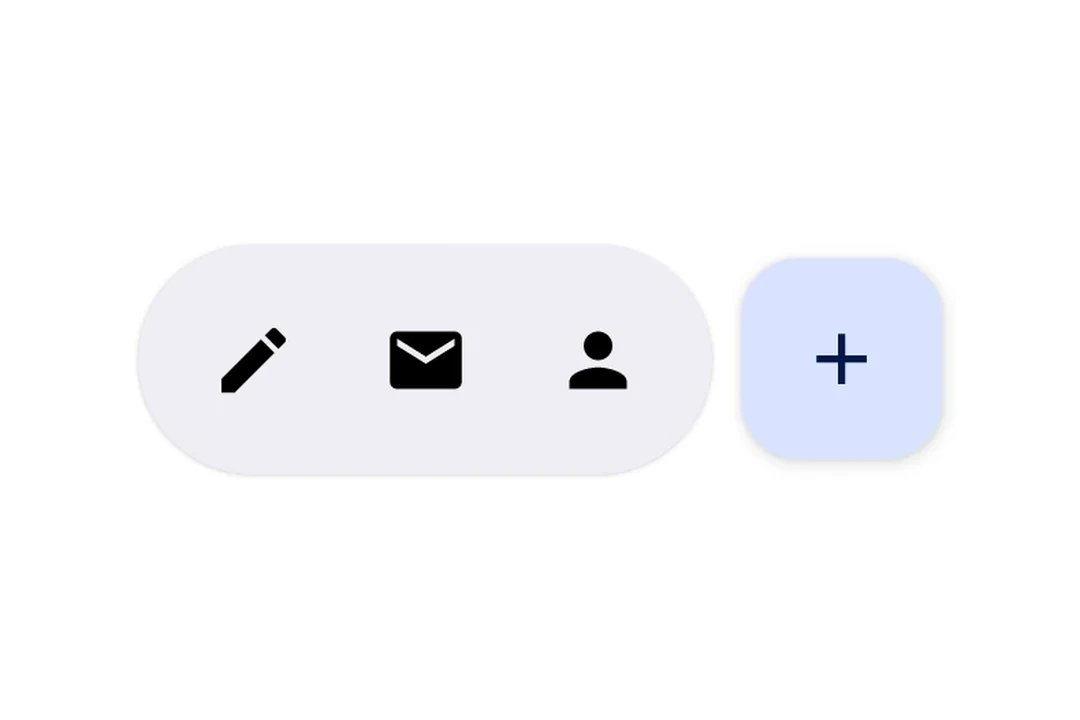
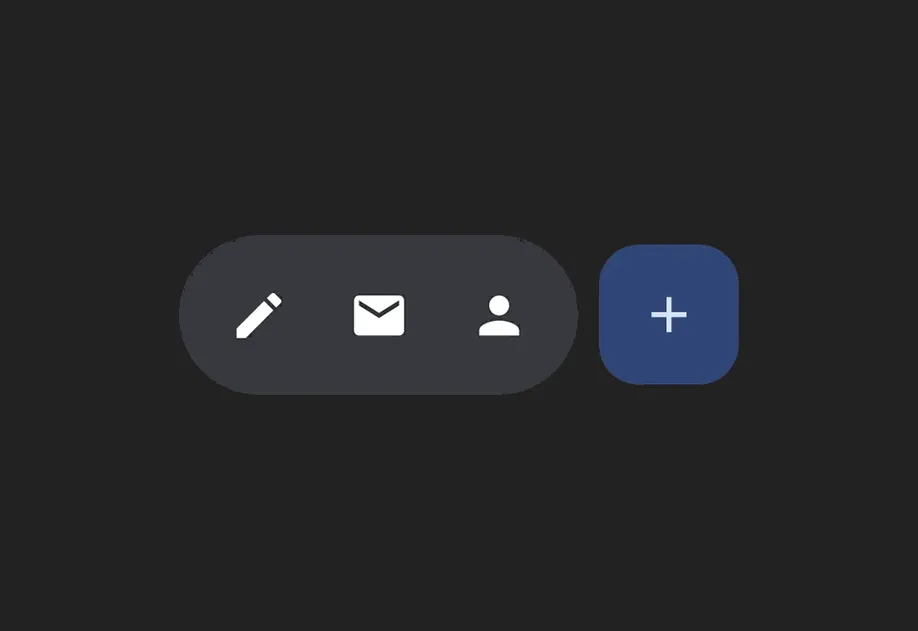
A Jetpack Compose HorizontalFloatingToolbar component for displaying a floating action bar.

Android
Included in Expo Go
Bundled version:
~56.0.2

For the complete documentation index, see llms.txt. Use this file to discover all available pages.

Expo UI HorizontalFloatingToolbar wraps the official Jetpack Compose HorizontalFloatingToolbar and displays a horizontal toolbar that floats above content, containing action buttons.

Note: If you only need a single floating button, use FloatingActionButton instead.

Installation

Terminal
npx expo install @expo/ui

If you are installing this in an existing React Native app, make sure to install expo in your project.

Usage

Floating toolbar over scrollable content

Place the toolbar inside a Box with floatingToolbarExitAlwaysScrollBehavior to get scroll-driven hide/show behavior. Use align('bottomCenter') to position the toolbar at the bottom of the screen. The entire layout stays within the Compose layer — no React Native absolute positioning needed.

FloatingToolbarExample.tsx
import { Box, HorizontalFloatingToolbar, Host, Icon, IconButton, LazyColumn, ListItem, } from '@expo/ui/jetpack-compose'; import { align, fillMaxSize, fillMaxWidth, offset } from '@expo/ui/jetpack-compose/modifiers'; export default function FloatingToolbarExample() { return ( <Host style={{ flex: 1 }}> <Box modifiers={[fillMaxSize()]} floatingToolbarExitAlwaysScrollBehavior="bottom"> <LazyColumn modifiers={[fillMaxSize()]}>{/* ...list items... */}</LazyColumn> <HorizontalFloatingToolbar variant="vibrant" modifiers={[align('bottomCenter'), offset(0, -16)]}> <IconButton onClick={() => console.log('Edit pressed')}> <Icon source={require('./assets/edit.xml')} /> </IconButton> <HorizontalFloatingToolbar.FloatingActionButton onClick={() => console.log('Add pressed')}> <Icon source={require('./assets/add.xml')} /> </HorizontalFloatingToolbar.FloatingActionButton> </HorizontalFloatingToolbar> </Box> </Host> ); }

Toolbar with FloatingActionButton

Use IconButton as direct children for toolbar items, and HorizontalFloatingToolbar.FloatingActionButton for the primary action.

ToolbarWithFABExample.tsx
import { Host, HorizontalFloatingToolbar, IconButton, Icon } from '@expo/ui/jetpack-compose'; export default function ToolbarWithFABExample() { return ( <Host matchContents> <HorizontalFloatingToolbar> <IconButton onClick={() => console.log('Edit pressed')}> <Icon source={require('./assets/edit.xml')} contentDescription="Edit" /> </IconButton> <IconButton onClick={() => console.log('Share pressed')}> <Icon source={require('./assets/share.xml')} contentDescription="Share" /> </IconButton> <HorizontalFloatingToolbar.FloatingActionButton onPress={() => console.log('Add pressed')}> <Icon source={require('./assets/add.xml')} contentDescription="Add" /> </HorizontalFloatingToolbar.FloatingActionButton> </HorizontalFloatingToolbar> </Host> ); }

API

import { HorizontalFloatingToolbar } from '@expo/ui/jetpack-compose';

Components

HorizontalFloatingToolbar

Android

Type: React.Element<HorizontalFloatingToolbarProps>

Renders a HorizontalFloatingToolbar component. A horizontal toolbar that floats above content, typically used for action buttons.

HorizontalFloatingToolbarProps

children

Android
Type: React.ReactNode

The children of the component.

colors

Android
Optional • Type: HorizontalFloatingToolbarColors

Per-slot color overrides. Any field set here replaces the corresponding color from the variant default; unset fields fall back to the variant.

modifiers

Android
Optional • Type: ExpoModifier[]

Modifiers for the component.

variant

Android
Optional • Literal type: string • Default: 'standard'

The variant of the horizontal floating toolbar.

Acceptable values are: 'standard' | 'vibrant'

HorizontalFloatingToolbarFloatingActionButton

Android

Type: React.Element<HorizontalFloatingToolbarFloatingActionButtonProps>

FloatingActionButton component for HorizontalFloatingToolbar. This component marks its children to be rendered in the FAB slot.

HorizontalFloatingToolbarFloatingActionButtonProps

children

Android
Type: React.ReactNode

The children of the component.

onPress

Android
Optional • Type: () => void

A callback that is called when the button is pressed.

Types

HorizontalFloatingToolbarColors

Android
PropertyTypeDescription
fabContainerColor(optional)ColorValue

Color of the floating action button container (background).

fabContentColor(optional)ColorValue

Color of the floating action button content (icon).

toolbarContainerColor(optional)ColorValue

Color of the toolbar container (background).

toolbarContentColor(optional)ColorValue

Color of the toolbar content (icons/text).