This documentation is available as Markdown for AI agents and LLMs. See the full Markdown index or append .md to any documentation URL.
Expo Widgets
A library to build iOS home screen widgets and Live Activities using Expo UI components.
This library is not available in the Expo Go app — use development builds to try it out.
expo-widgets enables the creation of iOS home screen widgets and Live Activities using Expo UI components, without writing native code. It provides a simple API for creating and updating widgets timeline, as well as starting and managing Live Activities. Layout can be built using expo/ui components and modifiers.
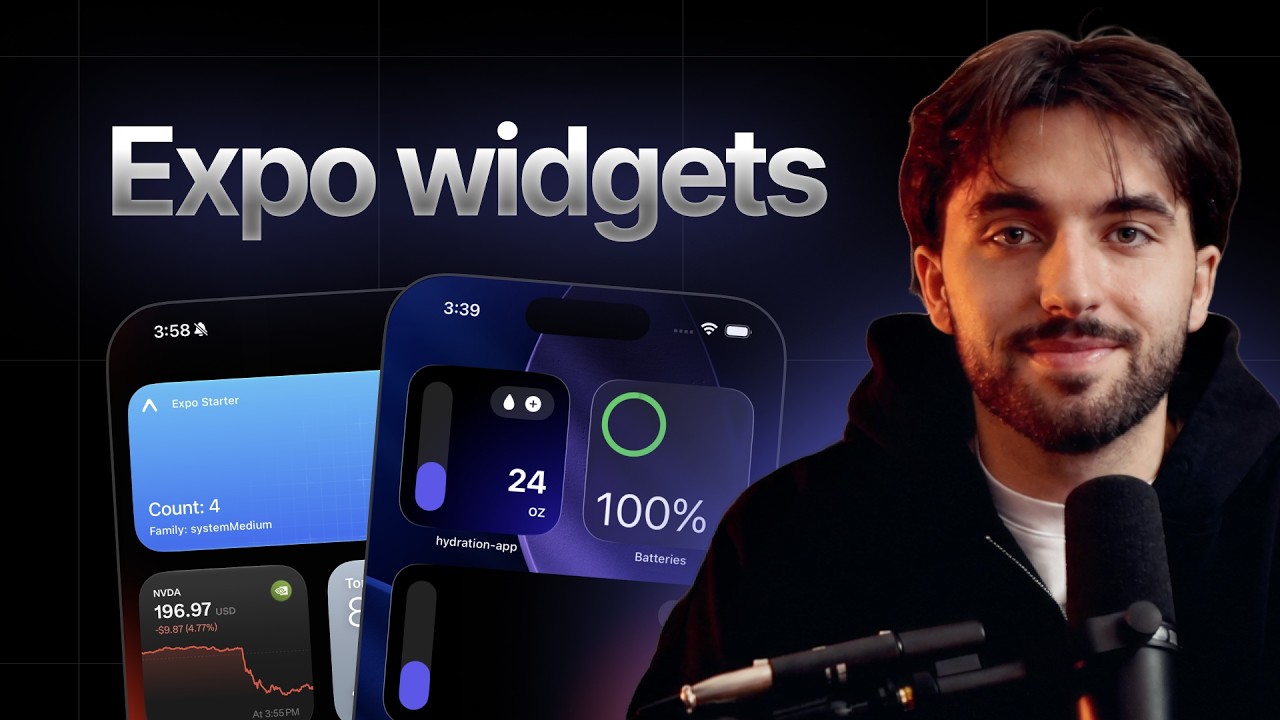
Build a native iOS home screen widget in TypeScript with expo-widgets.
Installation
- npx expo install expo-widgetsIf you are installing this in an existing React Native app, make sure to install expo in your project.
The with-widgets example comes with expo-widgets already installed and configured:
- npx create-expo-app --example with-widgetsConfiguration in app config
You can configure expo-widgets using its built-in config plugin if you use config plugins in your project (Continuous Native Generation (CNG)). The plugin allows you to configure various properties that cannot be set at runtime and require building a new app binary to take effect.
Example app.json with config plugin
{
  "expo": {
    "plugins": [
      [
        "expo-widgets",
        {
          "widgets": [
            {
              "name": "MyWidget",
              "displayName": "My Widget",
              "description": "A sample home screen widget",
              "supportedFamilies": ["systemSmall", "systemMedium", "systemLarge"]
            }
          ]
        }
      ]
    ]
  }
}
Configurable properties
| Name | Default | Description |
|---|---|---|
bundleIdentifier | "<app bundle identifier>.ExpoWidgetsTarget" | The bundle identifier for the widget extension target. If not specified, defaults to |
groupIdentifier | "group.<app bundle identifier>" | The app group identifier used for communication and data sharing between the main app and widgets. This is required for widgets to work properly. If not specified, defaults to |
enablePushNotifications | false | Whether to enable push notifications for Live Activities. When enabled, this adds the |
widgets | - | An array of widget configurations. Each widget in the array will be generated as a separate widget kind in your widget extension. |
widgets[].name | - | The internal name (identifier) of the widget. This is used as the Swift struct name and should be a valid Swift identifier (no spaces or special characters). |
widgets[].displayName | - | The user-facing name of the widget that appears in the widget gallery when users add widgets to their home screen. |
widgets[].description | - | A brief description of what the widget does. This appears in the widget gallery to help users understand the widget's purpose. |
widgets[].contentMarginsDisabled | false | When you disable content margins for a widget, the system doesn't automatically add margins around the widget's content, and you are responsible for specifying margins and padding around your widget content for each context. |
widgets[].supportedFamilies | - | An array of widget sizes that this widget supports. Available options:
|
Full example with all options
{
  "expo": {
    "plugins": [
      [
        "expo-widgets",
        {
          "bundleIdentifier": "com.example.myapp.widgets",
          "groupIdentifier": "group.com.example.myapp",
          "enablePushNotifications": true,
          "widgets": [
            {
              "name": "StatusWidget",
              "displayName": "Status",
              "description": "Shows your current status at a glance",
              "contentMarginsDisabled": true,
              "supportedFamilies": ["systemSmall", "systemMedium"]
            },
            {
              "name": "DetailWidget",
              "displayName": "Details",
              "description": "Shows detailed information",
              "supportedFamilies": ["systemMedium", "systemLarge"]
            },
            {
              "name": "LockScreenWidget",
              "displayName": "Quick View",
              "description": "View info on your Lock Screen",
              "supportedFamilies": ["accessoryCircular", "accessoryRectangular", "accessoryInline"]
            }
          ]
        }
      ]
    ]
  }
}
Usage
Widgets
Prerequisite: Creating widget
Start by creating a Widget using the createWidget function and pass the widget component marked with the 'widget' directive. The component receives your widget props as the first argument and a WidgetEnvironment object as the second.
import { Text, VStack } from '@expo/ui/swift-ui';
import { font, foregroundStyle } from '@expo/ui/swift-ui/modifiers';
import { createWidget, type WidgetEnvironment } from 'expo-widgets';

type MyWidgetProps = {
  count: number;
};

const MyWidget = (props: MyWidgetProps, environment: WidgetEnvironment) => {
  'widget';
  return (
    <VStack>
      <Text modifiers={[font({ weight: 'bold', size: 16 }), foregroundStyle('#000000')]}>
        Count: {props.count}
      </Text>
      <Text>Family: {environment.widgetFamily}</Text>
    </VStack>
  );
};

export default createWidget('MyWidget', MyWidget);
The widget name ('MyWidget') must match the name field in your widget configuration in the app config.
Basic widget
An effective way to update a widget is to use the updateSnapshot method. This creates a widget timeline with a single entry that displays immediately.
The example below continues from Creating widget.
import MyWidget from './MyWidget';

// Update the widget
MyWidget.updateSnapshot({ count: 5 });
Timeline widget
Use updateTimeline method to schedule widget updates at specific time. System will automatically update the widget based on the timeline.
The example below continues from Creating widget.
import MyWidget from './MyWidget';

MyWidget.updateTimeline([
  { date: new Date(), props: { count: 1 } },
  { date: new Date(Date.now() + 3600000), props: { count: 2 } }, // 1 hour from now
  { date: new Date(Date.now() + 7200000), props: { count: 3 } }, // 2 hours from now
  { date: new Date(Date.now() + 10800000), props: { count: 4 } }, // 3 hours from now
]);
Responsive widget
Use the environment argument to adapt the layout to the current widget size and rendering context.
import { HStack, Text, VStack } from '@expo/ui/swift-ui';
import { createWidget, type WidgetEnvironment } from 'expo-widgets';

type WeatherWidgetProps = {
  temperature: number;
  condition: string;
};

const WeatherWidget = (props: WeatherWidgetProps, environment: WidgetEnvironment) => {
  'widget';
  // Render different layouts based on size
  if (environment.widgetFamily === 'systemSmall') {
    return (
      <VStack>
        <Text>{props.temperature}°</Text>
      </VStack>
    );
  }

  if (environment.widgetFamily === 'systemMedium') {
    return (
      <HStack>
        <Text>{props.temperature}°</Text>
        <Text>{props.condition}</Text>
      </HStack>
    );
  }

  // systemLarge and others
  return (
    <VStack>
      <Text>Temperature: {props.temperature}°</Text>
      <Text>Condition: {props.condition}</Text>
      <Text>Updated: {environment.date.toLocaleTimeString()}</Text>
    </VStack>
  );
};

const Widget = createWidget('WeatherWidget', WeatherWidget);
export default Widget;

Widget.updateSnapshot({
  temperature: 72,
  condition: 'Sunny',
});
Live Activities
Live Activities display real-time information on the Lock Screen and in the Dynamic Island on supported devices.
Prerequisite: Creating Live Activity
Live Activity layouts must be created once using createLiveActivity and marked with the 'widget' directive. The component receives your props as the first argument and a LiveActivityEnvironment object as the second.
import { Image, Text, VStack } from '@expo/ui/swift-ui';
import { font, foregroundStyle, padding } from '@expo/ui/swift-ui/modifiers';
import { createLiveActivity, type LiveActivityEnvironment } from 'expo-widgets';

type DeliveryActivityProps = {
  etaMinutes: number;
  status: string;
};

const DeliveryActivity = (props: DeliveryActivityProps, environment: LiveActivityEnvironment) => {
  'widget';
  const accentColor = environment.colorScheme === 'dark' ? '#FFFFFF' : '#007AFF';

  return {
    banner: (
      <VStack modifiers={[padding({ all: 12 })]}>
        <Text modifiers={[font({ weight: 'bold' }), foregroundStyle(accentColor)]}>
          {props.status}
        </Text>
        <Text>Estimated arrival: {props.etaMinutes} minutes</Text>
      </VStack>
    ),
    compactLeading: <Image systemName="box.truck.fill" color={accentColor} />,
    compactTrailing: <Text>{props.etaMinutes} min</Text>,
    minimal: <Image systemName="box.truck.fill" color={accentColor} />,
    expandedLeading: (
      <VStack modifiers={[padding({ all: 12 })]}>
        <Image systemName="box.truck.fill" color={accentColor} />
        <Text modifiers={[font({ size: 12 })]}>Delivering</Text>
      </VStack>
    ),
    expandedTrailing: (
      <VStack modifiers={[padding({ all: 12 })]}>
        <Text modifiers={[font({ weight: 'bold', size: 20 })]}>{props.etaMinutes}</Text>
        <Text modifiers={[font({ size: 12 })]}>minutes</Text>
      </VStack>
    ),
    expandedBottom: (
      <VStack modifiers={[padding({ all: 12 })]}>
        <Text>Driver: John Smith</Text>
        <Text>Order #12345</Text>
      </VStack>
    ),
  };
};

export default createLiveActivity('DeliveryActivity', DeliveryActivity);
Starting a Live Activity
The example below continues from Creating Live Activity.
import { Button, View } from 'react-native';
import DeliveryActivity from './DeliveryActivity';

function App() {
  const startDeliveryTracking = () => {
    // Start the Live Activity
    const instance = DeliveryActivity.start(
      {
        etaMinutes: 15,
        status: 'Your delivery is on the way',
      },
      'myapp://deliveries/12345'
    );
    // Store instance
  };

  return (
    <View style={{ flex: 1, justifyContent: 'center', alignItems: 'center' }}>
      <Button title="Start delivery tracking" onPress={startDeliveryTracking} />
    </View>
  );
}
export default App;
Updating a Live Activity
The example below continues from Starting a Live Activity.
import { LiveActivity } from 'expo-widgets';

function updateDelivery(instance: LiveActivity<DeliveryActivityProps>) {
  instance.update({
    etaMinutes: 2,
    status: 'Delivery arriving soon!',
  });
}
Ending a Live Activity
Use end to finish a Live Activity. You can choose the dismissal policy, optionally provide a final content state, and pass a contentDate so the system can ignore stale updates.
import { after, type LiveActivity } from 'expo-widgets';

async function completeDelivery(instance: LiveActivity<DeliveryActivityProps>) {
  await instance.end(
    after(new Date(Date.now() + 15 * 60 * 1000)),
    {
      etaMinutes: 0,
      status: 'Delivered',
    },
    new Date()
  );
}
You can also pass 'default' or 'immediate' instead of after(date) for the dismissal policy.
Push tokens for remote updates
When enablePushNotifications is true, use addPushToStartTokenListener to receive the app-wide push-to-start token and instance.getPushToken() or instance.addPushTokenListener() to work with a specific Live Activity instance.
import { addPushToStartTokenListener } from 'expo-widgets';
import DeliveryActivity from './DeliveryActivity';

const pushToStartSubscription = addPushToStartTokenListener(event => {
  console.log('Push-to-start token:', event.activityPushToStartToken);
});

async function startDeliveryTracking() {
  const instance = DeliveryActivity.start({
    etaMinutes: 15,
    status: 'Your delivery is on the way',
  });

  const pushToken = await instance.getPushToken();
  console.log('Per-activity token:', pushToken);

  const subscription = instance.addPushTokenListener(event => {
    console.log('Updated push token:', event.activityId, event.pushToken);
  });

  // Later, when you no longer need updates:
  subscription.remove();
}

// Later, when you no longer need updates:
pushToStartSubscription.remove();
API
import { createWidget, createLiveActivity } from 'expo-widgets';
Constants
Type: string
A directory that can be used to store shared images for widgets. The contents of this directory are accessible by both the main app and widgets.
Classes
Represents a Live Activity instance. Provides methods to update its content and end it.
LiveActivity Methods
| Parameter | Type | Description |
|---|---|---|
| listener | (event: PushTokenEvent) => void | Callback invoked when a new push token is available. |
Adds a listener for push token update events on this Live Activity instance. The token can be used to send content updates to this specific activity via APNs.
EventSubscriptionAn event subscription that can be used to remove the listener.
| Parameter | Type | Description |
|---|---|---|
| dismissalPolicy(optional) | LiveActivityDismissalPolicy | Controls when the Live Activity is removed from the Lock Screen after ending.
Can be |
| props(optional) | T | Final content properties to update after the activity ends. |
| contentDate(optional) | Date | The time the data in the payload was generated. If this is older than a previous update or push payload, the system ignores this update. |
Ends the Live Activity.
Promise<void>Returns the push token for this Live Activity, used to send push notification updates via APNs.
Returns null if push notifications are not enabled or the token is not yet available.
Promise<string | null>| Parameter | Type | Description |
|---|---|---|
| props | T | The updated content properties. |
Updates the Live Activity's content. The UI reflects the new properties immediately.
Promise<void>Manages Live Activity instances of a specific type. Use it to start new activities and retrieve currently active ones.
LiveActivityFactory Methods
Returns all currently active instances of this Live Activity type.
LiveActivity[]| Parameter | Type | Description |
|---|---|---|
| props | T | The initial content properties for the Live Activity. |
| url(optional) | string | An optional URL to associate with the Live Activity, used for deep linking. |
Starts a new Live Activity with the given properties.
LiveActivity<T>The new Live Activity instance.
Represents a widget instance. Provides methods to manage the widget's timeline.
Widget Methods
Returns the current timeline entries for the widget, including past and future entries.
Promise<WidgetTimelineEntry[]>| Parameter | Type | Description |
|---|---|---|
| props | PropsType | The properties to display in the widget. |
Sets the widget's content to the given props immediately, without scheduling a timeline.
void| Parameter | Type | Description |
|---|---|---|
| entries | WidgetTimelineEntry[] | Timeline entries, each specifying a date and the props to display at that time. |
Schedules a series of updates for the widget's content and reloads the widget.
voidMethods
| Parameter | Type | Description |
|---|---|---|
| name | string | The Live Activity name. Must match the |
| liveActivity | LiveActivityComponent<T> | The Live Activity component, marked with the |
Creates a Live Activity Factory for managing Live Activities of a specific type.
LiveActivityFactory<T>| Parameter | Type | Description |
|---|---|---|
| name | string | The widget name. Must match the |
| widget | (props: PropsType, context: WidgetEnvironment<ConfigurationType>) => Element | The widget component, marked with the |
Creates a Widget instance.
Widget<PropsType, ConfigurationType>Event subscriptions
| Parameter | Type | Description |
|---|---|---|
| listener | (event: PushToStartTokenEvent) => void | Callback function to handle push-to-start token events. |
Adds a listener for push-to-start token events. This token can be used to start live activities remotely via APNs.
EventSubscriptionAn event subscription that can be used to remove the listener.
| Parameter | Type | Description |
|---|---|---|
| listener | (event: UserInteractionEvent) => void | Callback function to handle user interaction events. |
Adds a listener for widget interaction events (for example, button taps).
EventSubscriptionAn event subscription that can be used to remove the listener.
Types
| Property | Type | Description |
|---|---|---|
| onExpoWidgetsPushToStartTokenReceived | (event: PushToStartTokenEvent) => void | Function that is invoked when a push-to-start token is received. event: PushToStartTokenEventToken event details. |
| onExpoWidgetsUserInteraction | (event: UserInteractionEvent) => void | Function that is invoked when user interacts with a widget. event: UserInteractionEventInteraction event details. |
Literal type: string
The level of detail the view is recommended to have. The system can update the levelOfDetail value based on user proximity or other system specific factors and allow content customization adapting to show different levels of details.
simplified— The system recommends showing a simplified view with less details.default— The system has no specific recommendation for the level of detail.
Acceptable values are: 'simplified' | 'default'
A function that returns the layout for a Live Activity.
| Parameter | Type |
|---|---|
| props | T |
| environment | LiveActivityEnvironment |
Literal type: union
Dismissal policy for ending a live activity.
'default'- The system’s default dismissal policy for the Live Activity.'immediate'- The system immediately removes the Live Activity that ended.after(date)- The system removes the Live Activity that ended at the specified time within a four-hour window.
Acceptable values are: 'default' | 'immediate' | ReturnType<after>
| Property | Type | Description |
|---|---|---|
| activityFamily(optional) | ActivityFamily | Only for: iOS 18+ The size family of the current Live Activity. |
| colorScheme | 'light' | 'dark' | The color scheme of the activity's environment. |
| isActivityFullscreen(optional) | boolean | Only for: iOS 16.1+ Whether the activity is currently displayed in fullscreen. |
| isActivityUpdateReduced(optional) | boolean | Only for: iOS 18+ A Boolean value that indicates whether the Live Activity update synchronization rate is reduced. |
| isLuminanceReduced(optional) | boolean | Only for: iOS 16+ Whether the activity is displayed in a context with reduced luminance. |
| levelOfDetail(optional) | LevelOfDetail | Only for: iOS 26+ The level of detail the view is recommended to have. |
| Property | Type | Description |
|---|---|---|
| onExpoWidgetsTokenReceived | (event: PushTokenEvent) => void | Function that is invoked when a push token is received for a live activity. event: PushTokenEventToken event details. |
Defines the layout sections for an iOS Live Activity.
| Property | Type | Description |
|---|---|---|
| banner | ReactNode | The main banner content displayed in Notifications Center. |
| bannerSmall(optional) | ReactNode | The small banner content displayed in CarPlay and WatchOS. Falls back to |
| compactLeading(optional) | ReactNode | The leading content in the compact Dynamic Island presentation. |
| compactTrailing(optional) | ReactNode | The trailing content in the compact Dynamic Island presentation. |
| expandedBottom(optional) | ReactNode | The bottom content in the expanded Dynamic Island presentation. |
| expandedCenter(optional) | ReactNode | The center content in the expanded Dynamic Island presentation. |
| expandedLeading(optional) | ReactNode | The leading content in the expanded Dynamic Island presentation. |
| expandedTrailing(optional) | ReactNode | The trailing content in the expanded Dynamic Island presentation. |
| minimal(optional) | ReactNode | The minimal content shown when the Dynamic Island is in its smallest form. |
Event emitted when a push token is received for a live activity.
| Property | Type | Description |
|---|---|---|
| activityId | string | The ID of the live activity. |
| pushToken | string | The push token for the live activity. |
Event emitted when a push-to-start token is received.
| Property | Type | Description |
|---|---|---|
| activityPushToStartToken | string | The push-to-start token for starting live activities remotely. |
Event emitted when a user interacts with a widget.
| Property | Type | Description |
|---|---|---|
| source | string | Widget that triggered the interaction. |
| target | string | Button/toggle that was pressed. |
| timestamp | number | Timestamp of the event. |
| type | 'ExpoWidgetsUserInteraction' | The event type identifier. |
| Property | Type | Description |
|---|---|---|
| colorScheme(optional) | 'light' | 'dark' | The color scheme of the widget's environment. |
| configuration | T | Only for: iOS 17+ Widget configuration parameters. |
| date | Date | The date of this timeline entry. |
| isLuminanceReduced(optional) | boolean | Only for: iOS 16+ A Boolean value that indicates whether the display or environment currently requires reduced luminance. When you detect this condition, lower the overall brightness of your view. For example, you can change large, filled shapes to be stroked, and choose less bright colors. |
| levelOfDetail(optional) | LevelOfDetail | Only for: iOS 26+ The level of detail the view is recommended to have. |
| showsWidgetLabel(optional) | boolean | Only for: iOS 16+ A Boolean value that indicates whether an accessory family widget can display an accessory label. |
| widgetContentMargins(optional) | {
bottom: number,
leading: number,
top: number,
trailing: number
} | Only for: iOS 17+ The content margins for the widget. |
| widgetFamily | WidgetFamily | The widget family. |
| widgetRenderingMode(optional) | WidgetRenderingMode | Only for: iOS 16+ The widget's rendering mode, based on where the system is displaying it. |
Literal type: string
The widget family (size).
systemSmall- Small square widget (2x2 grid).systemMedium- Medium widget (4x2 grid).systemLarge- Large widget (4x4 grid).systemExtraLarge- Extra large widget (iPad only, 6x4 grid).accessoryCircular- Circular accessory widget for the Lock Screen.accessoryRectangular- Rectangular accessory widget for the Lock Screen.accessoryInline- Inline accessory widget for the Lock Screen.
Acceptable values are: 'systemSmall' | 'systemMedium' | 'systemLarge' | 'systemExtraLarge' | 'accessoryCircular' | 'accessoryRectangular' | 'accessoryInline'
Literal type: string
The rendering mode of the widget as provided by WidgetKit.
fullColor— Home screen widgets (default).accented— Tinted widgets (iOS 18+) and watchOS.vibrant— Lock screen widgets.
Acceptable values are: 'fullColor' | 'accented' | 'vibrant'
| Property | Type | Description |
|---|---|---|
| date | Date | Date when widget should update. |
| props | T | Props to be passed to the widget. |