This documentation is available as Markdown for AI agents and LLMs. See the full Markdown index or append .md to any documentation URL.
Text
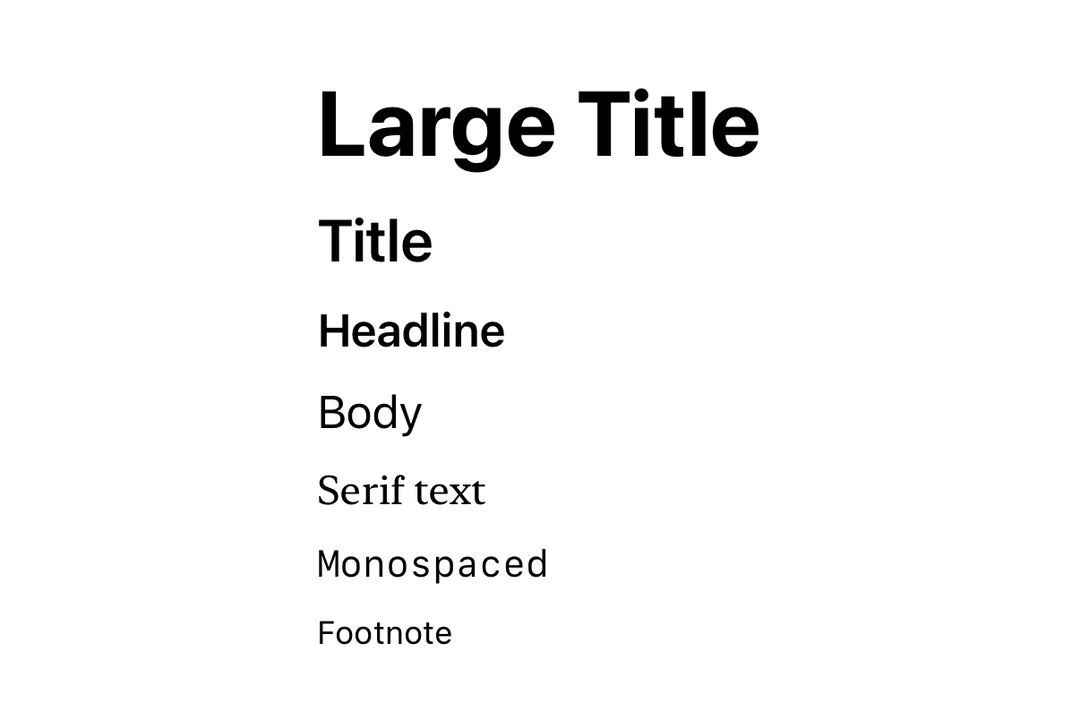
A SwiftUI Text component for displaying styled text with support for nested texts.
For cross-platform usage, see the universalText— it renders the appropriate native component per platform.
Expo UI Text matches the official SwiftUI Text API.
Installation
- npx expo install @expo/uiIf you are installing this in an existing React Native app, make sure to install expo in your project.
Usage
Basic text
import { Host, Text } from '@expo/ui/swift-ui';

export default function BasicTextExample() {
  return (
    <Host matchContents>
      <Text>Hello world</Text>
    </Host>
  );
}
Text with modifiers
Use modifiers to style the entire text.
import { Host, Text } from '@expo/ui/swift-ui';
import { font, foregroundStyle } from '@expo/ui/swift-ui/modifiers';

export default function StyledTextExample() {
  return (
    <Host matchContents>
      <Text modifiers={[font({ size: 24, weight: 'bold' }), foregroundStyle('blue')]}>
        Large Bold Blue Text
      </Text>
    </Host>
  );
}
Nested text (per-segment styling)
Nest Text components to style individual segments differently. This is useful for inline formatting, such as bold or colored words within a sentence.
Note: Nested text uses SwiftUI's Text concatenation, so only modifiers that return
Text(such asbold,italic,font,foregroundColor, andforegroundStylewith color) will apply to nested segments.
import { Host, Text } from '@expo/ui/swift-ui';
import { bold, italic, foregroundStyle } from '@expo/ui/swift-ui/modifiers';

export default function NestedTextExample() {
  return (
    <Host matchContents>
      <Text>
        Hello <Text modifiers={[bold(), foregroundStyle('red')]}>world</Text>!
      </Text>
    </Host>
  );
}
Mixed inline styles
Combine multiple styled segments for rich text formatting.
import { Host, Text } from '@expo/ui/swift-ui';
import { bold, italic, foregroundStyle, font } from '@expo/ui/swift-ui/modifiers';

export default function MixedStylesExample() {
  return (
    <Host matchContents>
      <Text>
        This is <Text modifiers={[bold()]}>bold</Text>, <Text modifiers={[italic()]}>italic</Text>,
        and <Text modifiers={[foregroundStyle('orange')]}>colored</Text> text.
      </Text>
    </Host>
  );
}
Font weights
Use the font modifier to apply different font weights.
import { Host, Text, VStack } from '@expo/ui/swift-ui';
import { font } from '@expo/ui/swift-ui/modifiers';

export default function FontWeightsExample() {
  return (
    <Host matchContents>
      <VStack spacing={4}>
        <Text modifiers={[font({ weight: 'ultraLight' })]}>Ultra Light</Text>
        <Text modifiers={[font({ weight: 'light' })]}>Light</Text>
        <Text modifiers={[font({ weight: 'regular' })]}>Regular</Text>
        <Text modifiers={[font({ weight: 'medium' })]}>Medium</Text>
        <Text modifiers={[font({ weight: 'semibold' })]}>Semibold</Text>
        <Text modifiers={[font({ weight: 'bold' })]}>Bold</Text>
        <Text modifiers={[font({ weight: 'heavy' })]}>Heavy</Text>
        <Text modifiers={[font({ weight: 'black' })]}>Black</Text>
      </VStack>
    </Host>
  );
}
Font designs
Use the font modifier to apply different font designs.
import { Host, Text, VStack } from '@expo/ui/swift-ui';
import { font } from '@expo/ui/swift-ui/modifiers';

export default function FontDesignsExample() {
  return (
    <Host matchContents>
      <VStack spacing={4}>
        <Text modifiers={[font({ design: 'default', size: 18 })]}>Default Design</Text>
        <Text modifiers={[font({ design: 'rounded', size: 18 })]}>Rounded Design</Text>
        <Text modifiers={[font({ design: 'serif', size: 18 })]}>Serif Design</Text>
        <Text modifiers={[font({ design: 'monospaced', size: 18 })]}>Monospaced Design</Text>
      </VStack>
    </Host>
  );
}
Custom fonts
Use the font modifier with a family parameter to use custom fonts. You can load custom fonts using expo-font library.
import { Host, Text, VStack } from '@expo/ui/swift-ui';
import { font } from '@expo/ui/swift-ui/modifiers';

export default function CustomFontExample() {
  return (
    <Host matchContents>
      <VStack spacing={4}>
        <Text modifiers={[font({ family: 'Inter-Bold', size: 18 })]}>Inter Bold</Text>
        <Text modifiers={[font({ family: 'Inter-Regular', size: 18 })]}>Inter Regular</Text>
      </VStack>
    </Host>
  );
}
Text with line limit
Use the lineLimit modifier to truncate text after a certain number of lines.
import { Host, Text } from '@expo/ui/swift-ui';
import { lineLimit } from '@expo/ui/swift-ui/modifiers';

export default function LineLimitExample() {
  const longText = 'This is a very long text that will be truncated after two lines. '.repeat(5);

  return (
    <Host matchContents>
      <Text modifiers={[lineLimit(2)]}>{longText}</Text>
    </Host>
  );
}
Markdown
Use the markdownEnabled property to enable Markdown formatting for the text content.
import { Host, Text, VStack } from '@expo/ui/swift-ui';

export default function MarkdownTextExample() {
  return (
    <Host matchContents>
      <VStack spacing={4}>
        <Text markdownEnabled>Regular text.</Text>
        <Text markdownEnabled>
          This is **bold text**, *italic text* and ***text in both bold and italic***.
        </Text>
        <Text markdownEnabled>~~Strikethrough text~~</Text>
        <Text markdownEnabled>`This is monospaced text`</Text>
        <Text markdownEnabled>
          Visit the [Expo Docs](https://docs.expo.dev/versions/latest/sdk/ui/) to learn more about
          Expo UI
        </Text>
      </VStack>
    </Host>
  );
}
Auto-updating date
Use the date and dateStyle props to display a date that automatically updates as time passes. This is especially useful in widgets and Live Activities.
import { Host, Text } from '@expo/ui/swift-ui';

export default function DateTextExample() {
  return (
    <Host matchContents>
      <Text date={new Date(Date.now() + 300000)} dateStyle="timer" />
    </Host>
  );
}
Timer interval
Use timerInterval to display a live countdown or count-up timer. This requires iOS/tvOS 16+.
import { Host, Text } from '@expo/ui/swift-ui';

export default function TimerIntervalExample() {
  return (
    <Host matchContents>
      <Text
        timerInterval={{ lower: new Date(), upper: new Date(Date.now() + 600000) }}
        countsDown
      />
    </Host>
  );
}
Note:
timerInterval,countsDown, andpauseTimerequire iOS 16.0+ / tvOS 16.0+. On older versions, the timer interval will not render.
API
import { Text } from '@expo/ui/swift-ui';
Component
Type: React.Element<TextProps>
boolean • Default: trueWhether the timer counts down (true) or up (false).
DateA date to display using the specified dateStyle. The text auto-updates as time passes.
TextDateStyle • Default: 'date'The style used to format the date prop.
booleanEnables Markdown formatting for the text content using SwiftUI LocalizedStringKey.
ClosedRangeDateA time interval to display as a live-updating timer.